
Territory Assignment
A manager assigns a mapped sales area to the rep who will work it.
Pocomos has a full suite of door-to-door sales tools built directly into the platform. Manage areas, track canvassing, train reps, run leaderboards, and capture contracts, all in one system.
Explore the operational capabilities this workflow can support.
Draw sales areas on a map, color coordinate them, and assign them to reps. Everyone knows where they are supposed to be knocking.
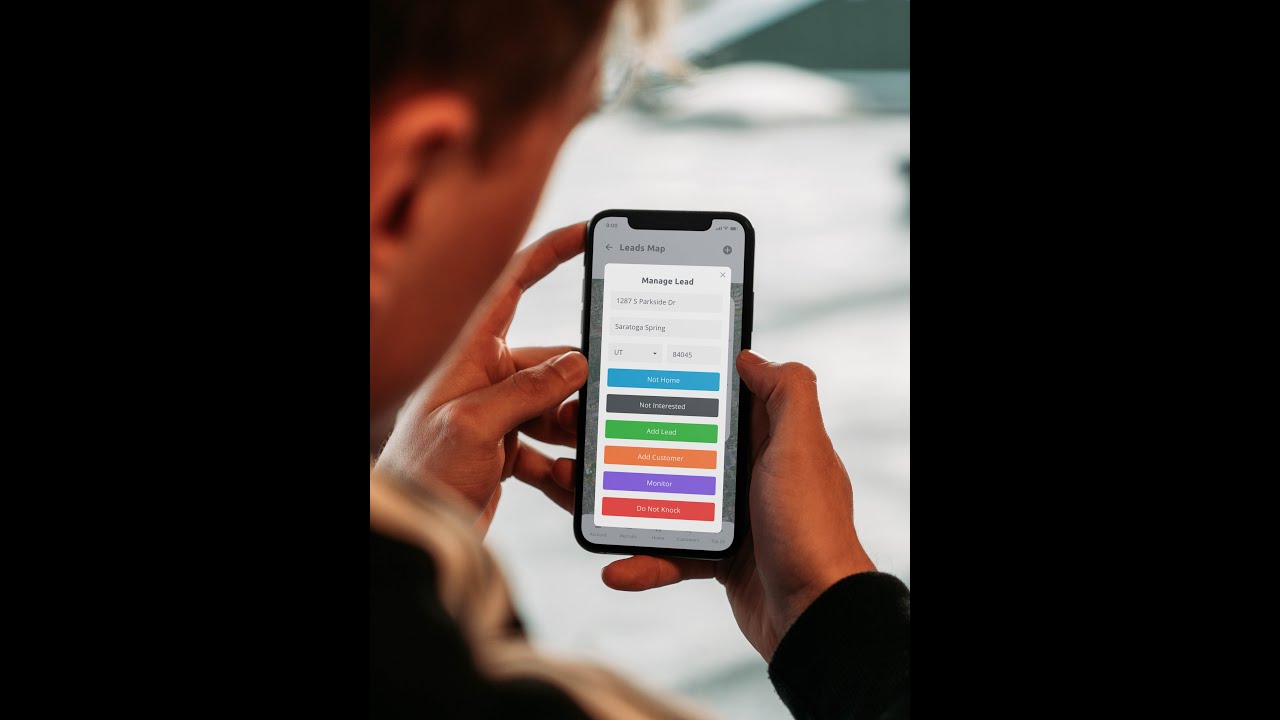
Reps mark each door as Not Home, Not Interested, Do Not Knock, Go Back, or New Customer. Build a complete picture of every neighborhood.
Capture a customer signature on a contract at the door, or send it for remote signature. The tech can also capture the signature on their app if needed.
Upload recruit agreements, capture e-signatures in person or remotely, and convert a signed recruit to an active salesperson. Eliminates double data entry.
Upload training videos for your sales team. Standardize what reps learn before they hit the doors and make sure everyone is prepared.
Run a live sales leaderboard to motivate your team. Reps can see where they rank in real time, which drives friendly competition and more doors knocked.
Turn territory activity into scheduled service
Pocomos connects sales territory assignment, door activity, customer conversion, and route placement in one system. The office can see the progress, and the field team receives work without rebuilding the customer record.
A connected door-to-door workflow
A manager assigns a mapped sales area to the rep who will work it.
The rep tracks each door and captures relevant customer interest in the sales app.
When the customer says yes, capture the agreement and create the new customer record in the field.
The new customer and job are ready for the operations team to schedule onto a technician route.
Territory, activity, signed customer details, and next-step operations remain connected, so sales and service teams work from the same information.
A manager draws the sales territory on the map, assigns colors, and assigns each area to a rep. Reps see their area in the mobile app.
As reps work the area, they mark each door in the app. The canvassing map updates in real time so managers can see activity.
When a rep gets a yes, they capture the customer's information and e-signature on the spot. The new customer record is created immediately.
Managers review the leaderboard, canvassing maps, and sales reports to see who is performing and where the best opportunities are.
No pressure, no long-term commitment. We will answer every question you have.