
Optimized Route
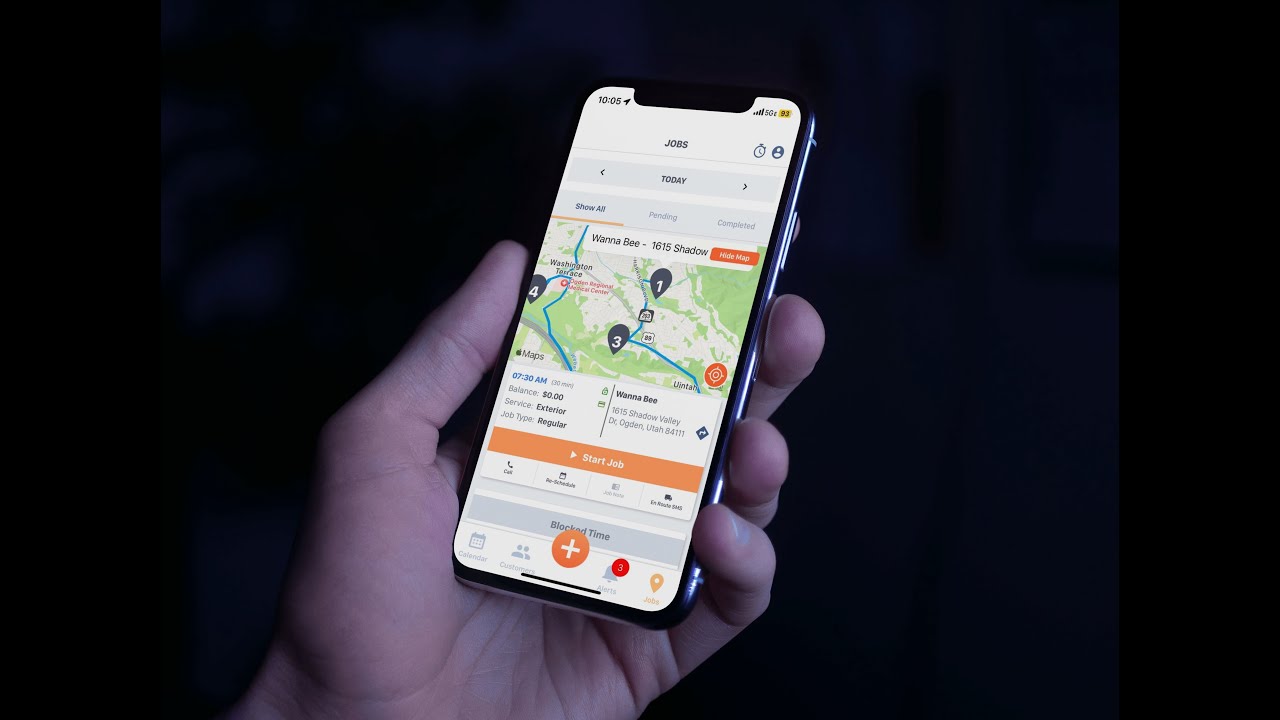
Give the technician an ordered day with job locations and drive-time context.
The Pocomos mobile app gives technicians everything they need to run their day without calling the office. View jobs, capture signatures, collect payments, and add new customers, all from their phone.
Explore the operational capabilities this workflow can support.
Techs see their full route for the day, with job details, customer history, service notes, and directions, all in one screen.
Capture customer signatures on contracts and service agreements directly in the app. No paper, no scanning, no delays.
Accept card payments on-site. Payments sync instantly to the customer record in the office.
Attach photos and service notes to any job. Document conditions, findings, and completed work for the customer record.
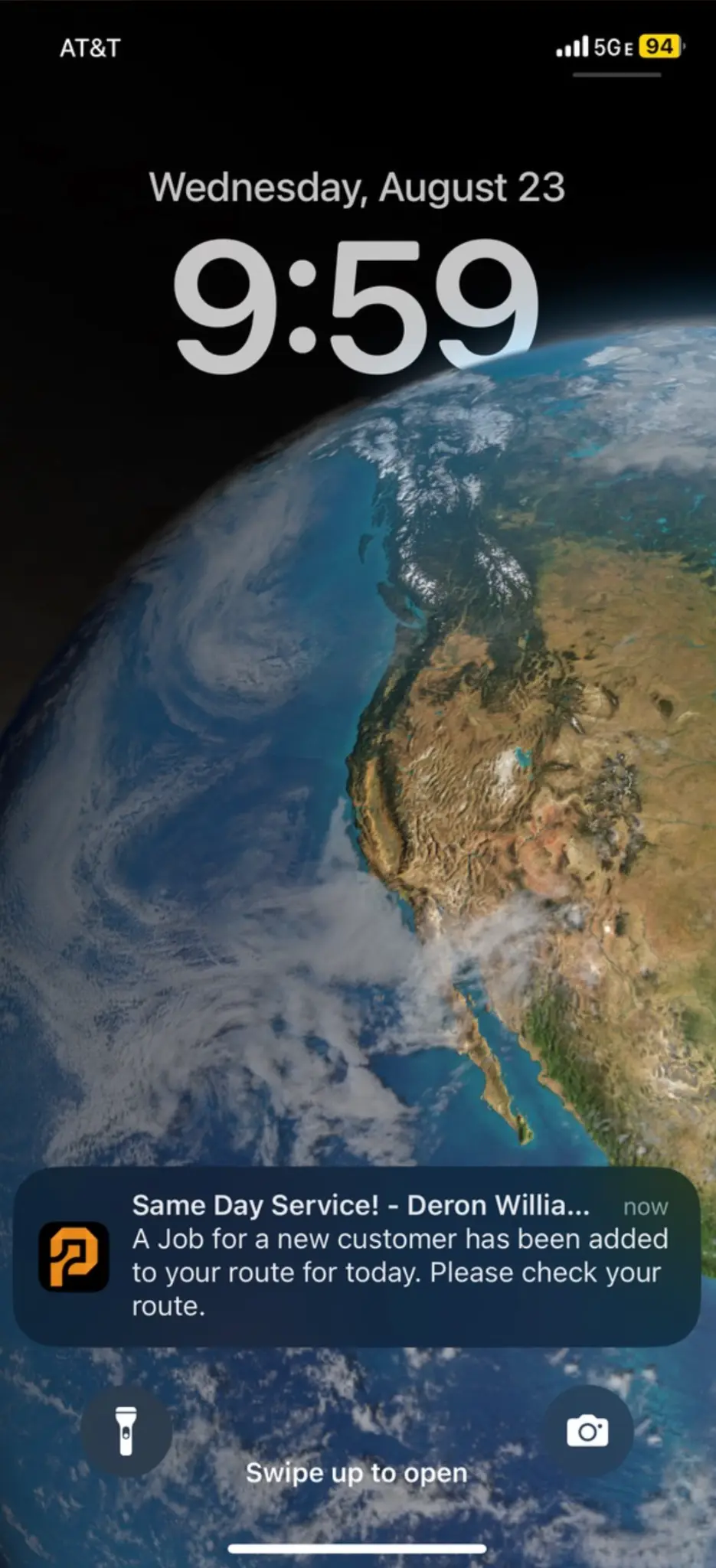
Techs receive push notifications for new jobs, schedule changes, and messages from the office. Always in the loop without checking in.
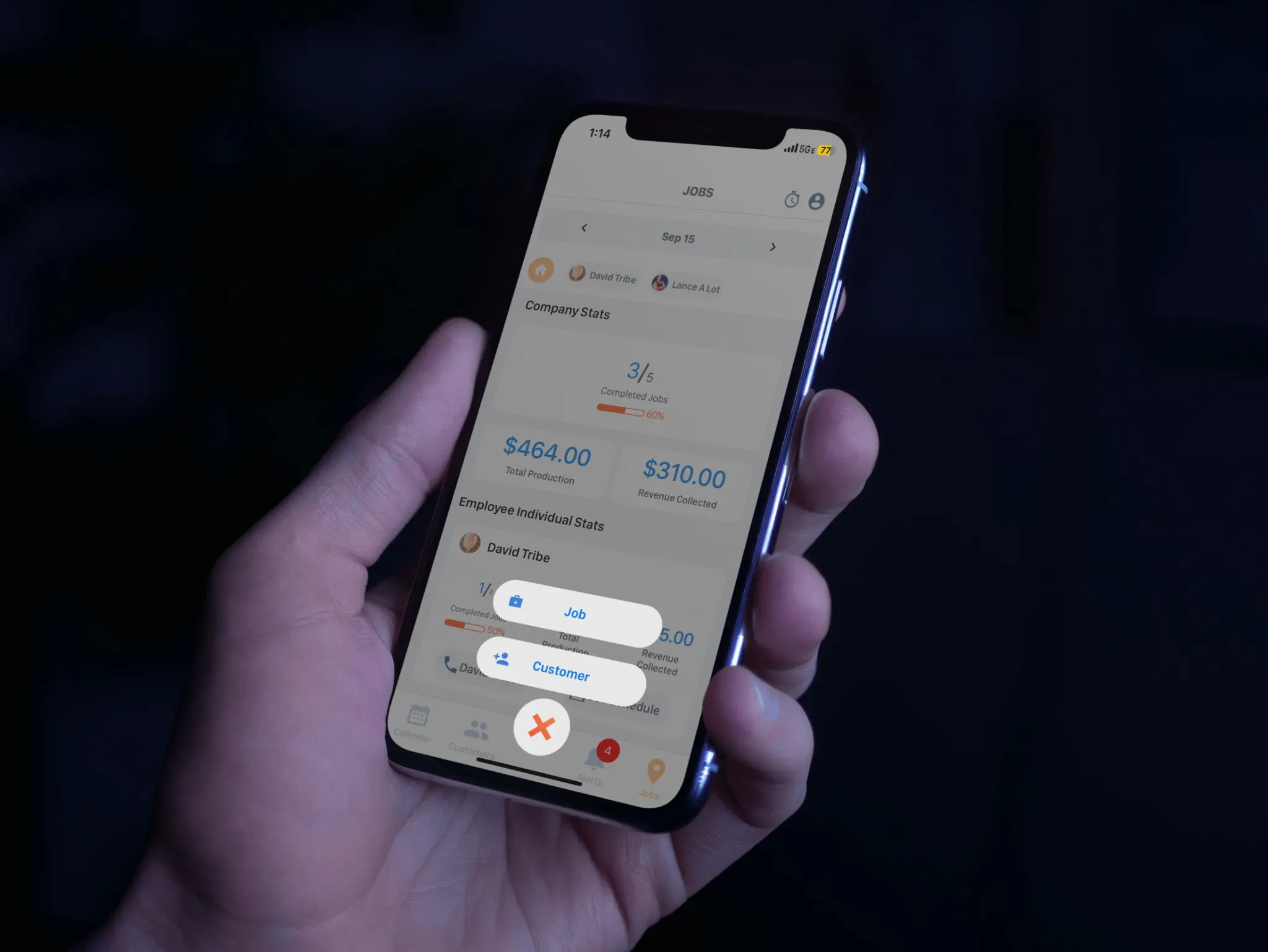
Techs can add new customers directly from the field. Capture contact info, service address, and contract details on the spot.
Run the day in the field
Pocomos brings the route, job context, customer history, and office updates into one mobile workflow. As technicians complete work, the job record, notes, photos, signatures, and payment activity stay connected for the office.
Give the technician an ordered day with job locations and drive-time context.
Bring service history, notes, forms, and directions into the job.
Keep schedule changes, new jobs, and team messages visible in the field.
Capture a customer, service address, and agreement without returning to the office.
Run in
Sync to
Open the right field context
Give the technician an ordered day with job locations and drive-time context.
Bring service history, notes, forms, and directions into the job.
Keep schedule changes, new jobs, and team messages visible in the field.
Capture a customer, service address, and agreement without returning to the office.
Run in
Sync to
One connected workflow keeps technicians equipped in the field and keeps the office informed without duplicate entry.
Techs can capture a new customer's information, service address, and contract details without leaving the app. The record is live in the office immediately.
Techs stay informed without checking in. Schedule changes, new jobs, and office messages arrive as push notifications in real time.
Related field workflow
See how technicians can capture device details, inspection notes, and service activity directly from the field.
The app opens to the tech's route for the day. Jobs are listed in optimized order with drive time to each stop.
Mark jobs as started, in progress, and complete. Add service notes, photos, and chemical usage records as you go.
Get a customer signature on any contract or service agreement. Collect payment by card if needed. Everything syncs to the office instantly.
If a neighbor wants service, the tech can add them as a new customer right from the app. No paperwork, no follow-up calls needed.
No pressure, no long-term commitment. We will answer every question you have.